Version 4
Orienting users - presenting WGLL as an information service
Version 3 did not have a homepage - instead, it presented the updated WGLL graphic then listed the 7 WGLL pillars with an identifying graphic. Users could then ‘drill down’ into each pillar to see success measures, or use NHS page navigation to move to next or previous pillars. This design aimed to help users get to the measure(s) they were interested in, as quickly as possible.
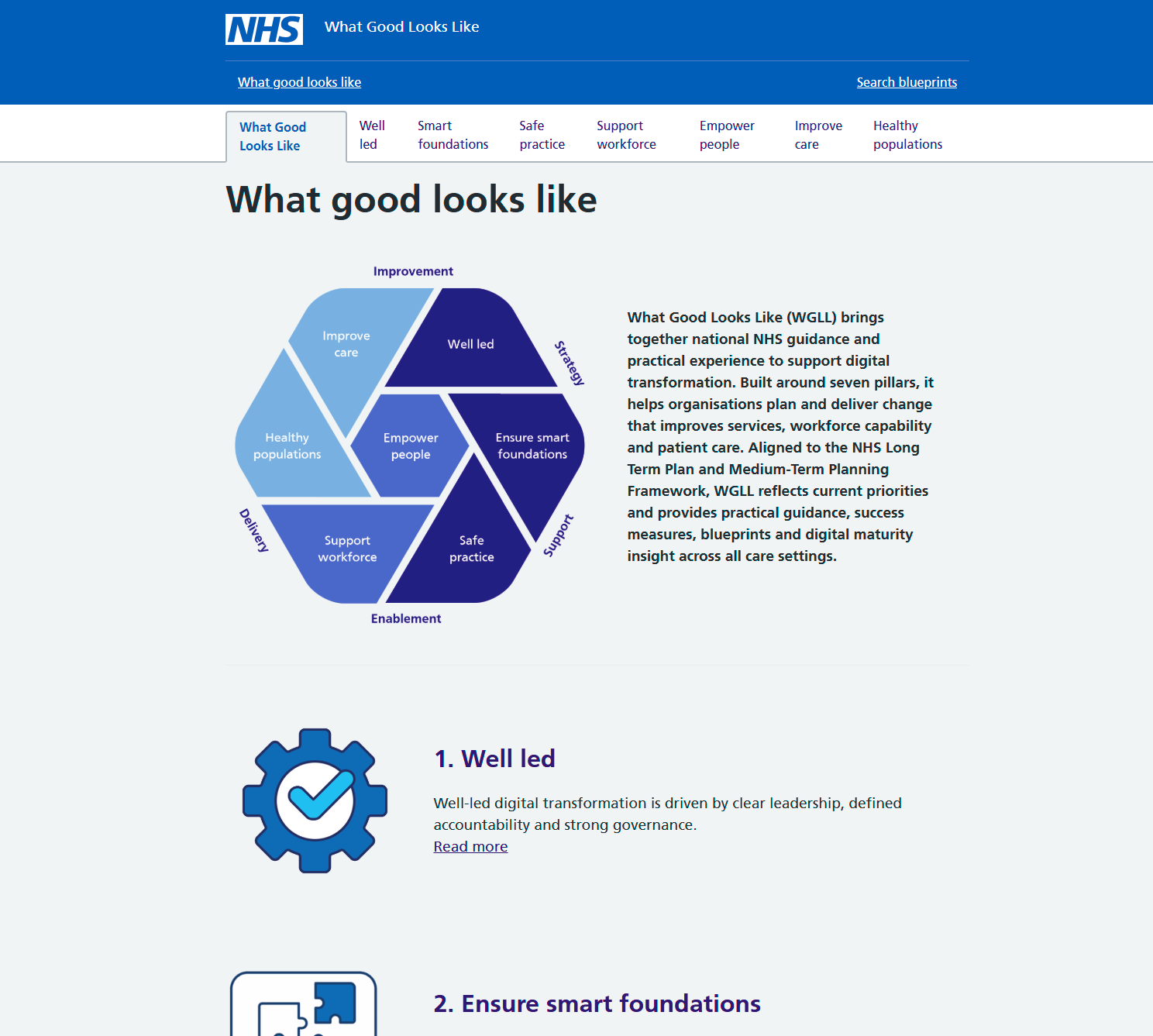
However, user research on Version 3’s design and layout revealed that this ‘drop straight in’ design created an unmet need for users - referred to in the team as the ‘so what?’ test. As one of many NHS information services, users need to know WGLL’s exact purpose and specific utility before continuing. If it’s not clear why WGLL is useful to them, they won’t continue. They also need to know that it is up-to-date, for example with the 10 Year Plan and Medium Term Planning Framework.
User research indicated that the v3 design also had problems with usability, for example:
- the large WGLL graphic meant that users had to scroll down to see the 7 pillars
- some users wrongly assumed that the graphic would be clickable - ie each segment would be a hotspot link to that pillar
- key content wasn’t ‘front-loaded’ and there was a lot of empty or blank space between content items
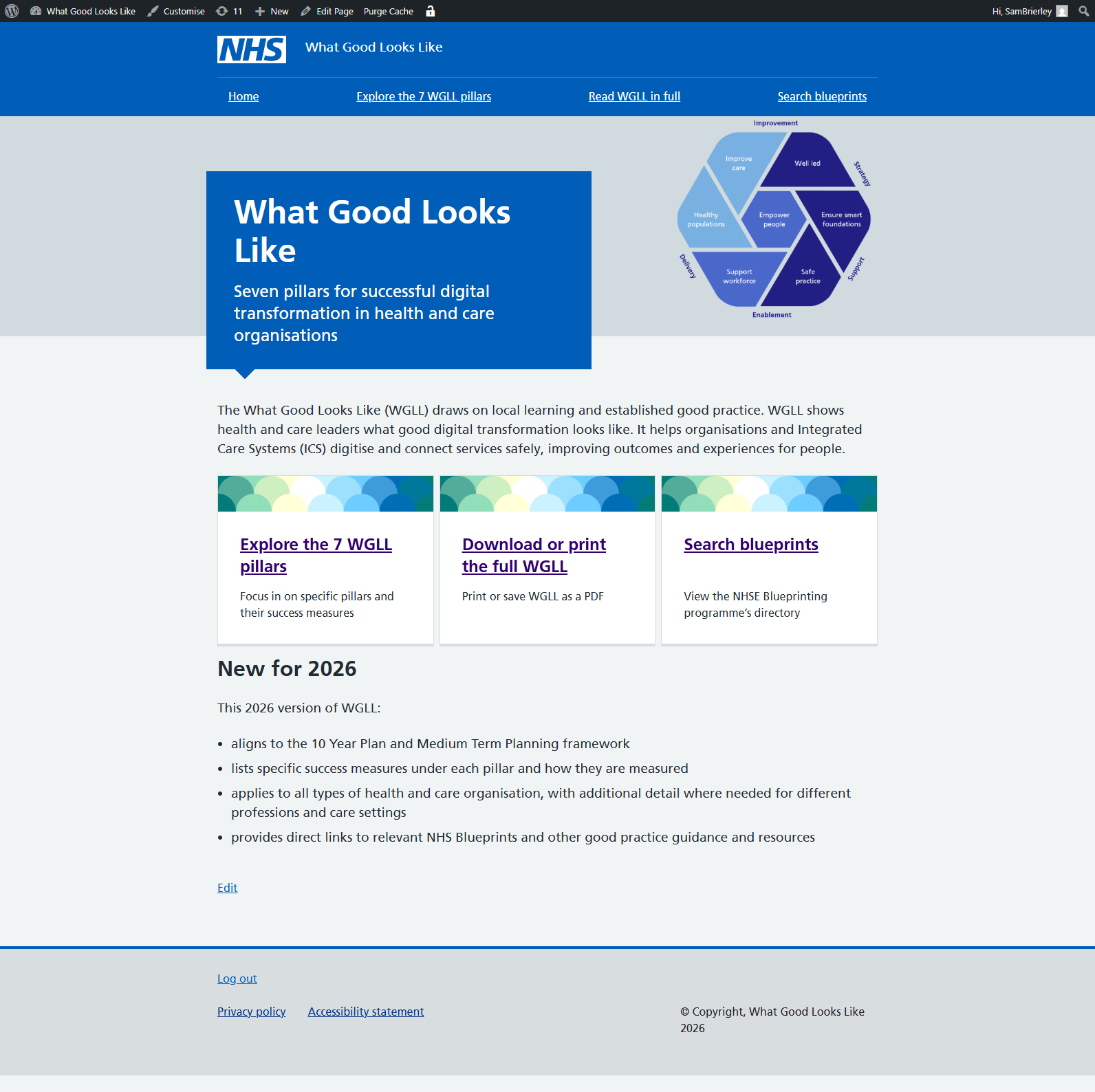
The team reinstated a ‘home’ page with the WGLL graphic in the hero banner. Following an introductory paragraph, users have three calls to action presented as promo panels.
Examples of good practice - searching for Blueprints
Research highlighted that users wanted a keyword search for blueprints so the team added this using the Relevanssi plugin for WordPress plus the Relevanssi add-on for FacetWP. This created a custom index of blueprint content from descriptions, searchable from a FacetWP search box above the ‘Care settings’ and ‘Project type’ filters.
View a screenshot of keyword search using Relevanssi
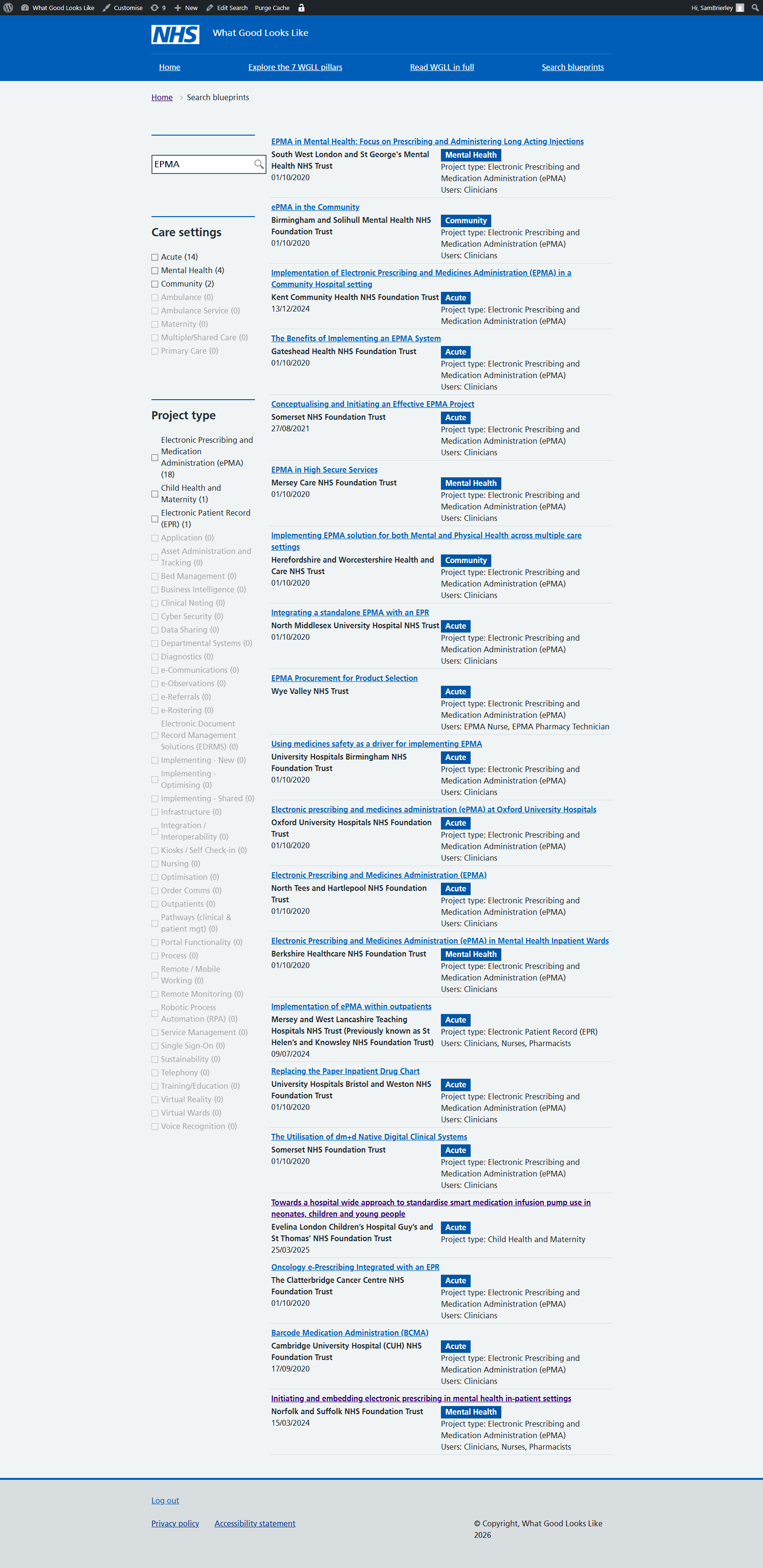
The keyword search improved search returns compared to just using the search filters - for example, a search for ‘EPMA’ found relevant blueprints that were not tagged to project type ‘Electronic Prescribing and Medication Administration (ePMA)’ but to other project types such as ‘Electronic Patient Record (EPR)’ and ‘Child Health and Maternity’.
A single document - the ‘Full guidance assembler plugin’
Previously, WGLL presented as a single web page, with h2 headings for each pillar. Some users said they preferred a single long-form document rather than the drill down approach. For these users, scrolling was not a problem - they preferred this mode of reading. The team also wondered if a single, structured web page would be more accessible to screen readers.
A modular approach has a number of benefits that address other user needs from research - for example, showing how up-to-date each measure is, rather than the whole document. The team wrote a ‘Full guidance assembler’ plugin for WordPress that produced a combined document from all child pages of the main index page, including tables created by shortcodes for metrics and blueprints.
This included a PDF endpoint to allow a dynamically generated, NHS/GOV.UK styled PDF to be created using a wp-mpdf plugin.
To aid navigation, the plugin also adds in a horizontal rule and a ‘Return to top of page’ text link after each success measure in each pillar <div class="fga-block-end">
The team considered acting on user research that suggested that tables created by shortcodes could be hidden in ‘More details’ expanders. Although the plugin could in theory wrap shortcodes inside expanders, this would need more development work to ensure the printable pdf displayed them correctly. The team decided to test version 4 with users instead.
Improving content - ‘Successful organisations will…’
All users liked the detail around metrics under each success measure. However, some stakeholders were concerned that this placed too much focus on measuring organisations, rather than providing guidance and resources on how they could improve. The team changed the content design pattern to present an unstructured list of typical hallmarks of an organisation delivering well on a particular success measure - not exhaustive but indicative. For example:
In organisations delivering this well, you will see:
- structured development for board and senior leaders in digital, data, cyber and emerging technologies
- multidisciplinary expertise informing investment and prioritisation decisions
- leaders confident in managing digital risk, innovation and large-scale change
User research on version 4 focused in on these changes and if they solved the issues uncovered by previous research.